
How can I edit queued emails?
Made a mistake? No problem! In LeadSwift, you can edit any unsent emails — these include emails with statuses like “pending”, “waiting”, or “schedule waiting”.
How to Edit Queued Emails
- Go to the Campaigns tab in the Email History page.
- Open the campaign that contains the queued email.
- Click the “⋯” icon next to the email you want to edit.
- Select Edit Email from the dropdown.
You’ll now be able to modify the content of the email before it is sent.
Only emails that have not yet been sent can be edited.
Editing Templates or Sequences
If you edit a template or sequence that is currently being used in an active campaign, LeadSwift will detect the change and ask whether you want to update the already queued emails with the new version:
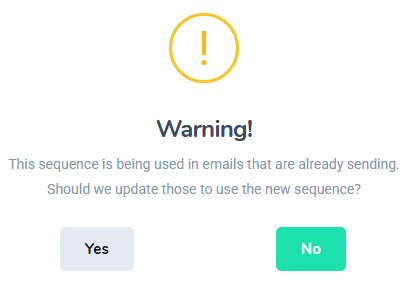
When prompted, you can choose whether to:
- Update all queued emails that were generated using the previous version of the sequence/template
- Keep the existing emails as they are
This gives you the flexibility to quickly apply changes across multiple queued emails in bulk, without needing to manually edit each one.