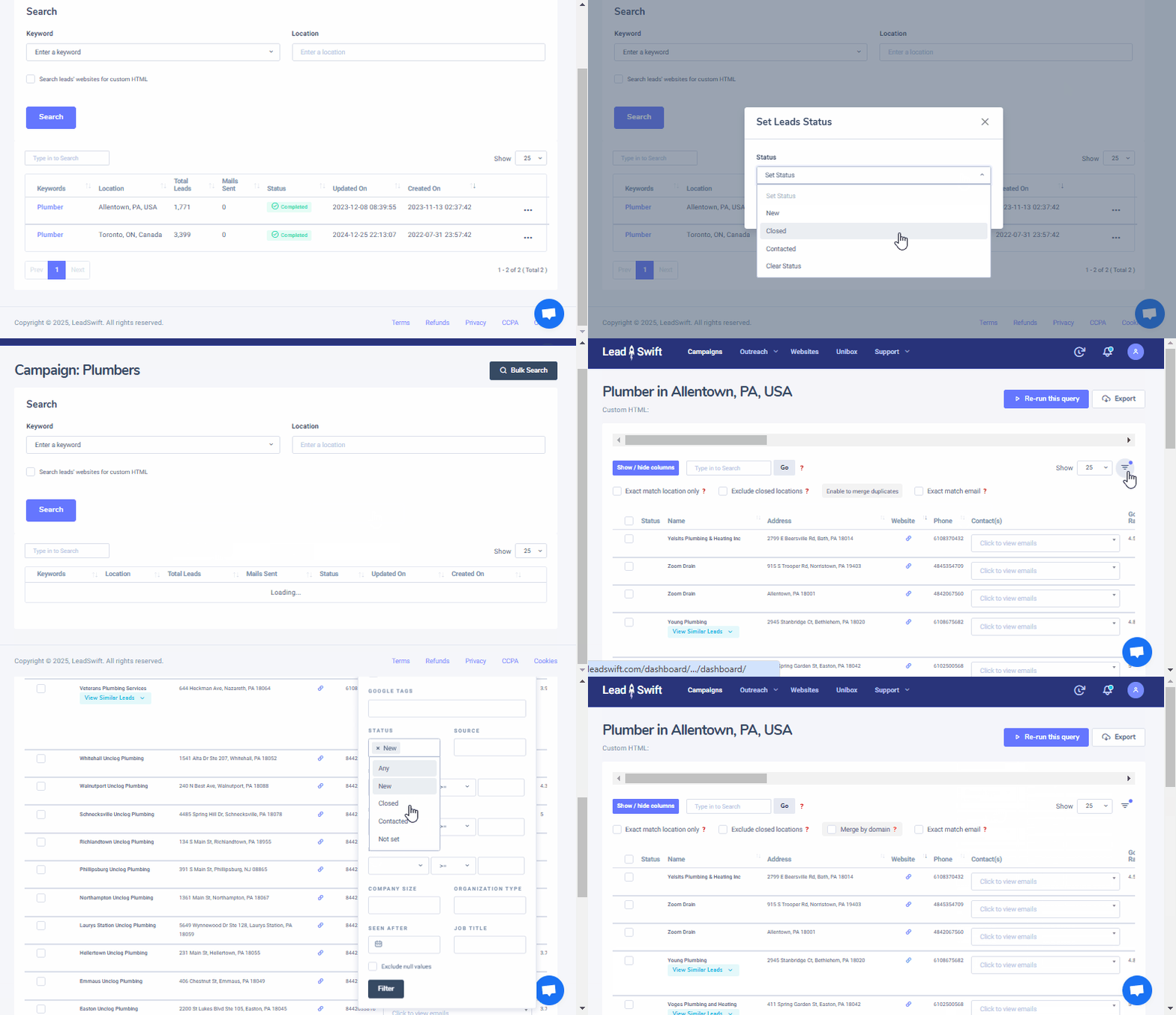
How can I remove leads?
To remove unwanted leads, simply set their status to "Closed". You can then use the dropdown filters to select everything except those with "Closed" status. The status of the leads will be set and maintained across searches.
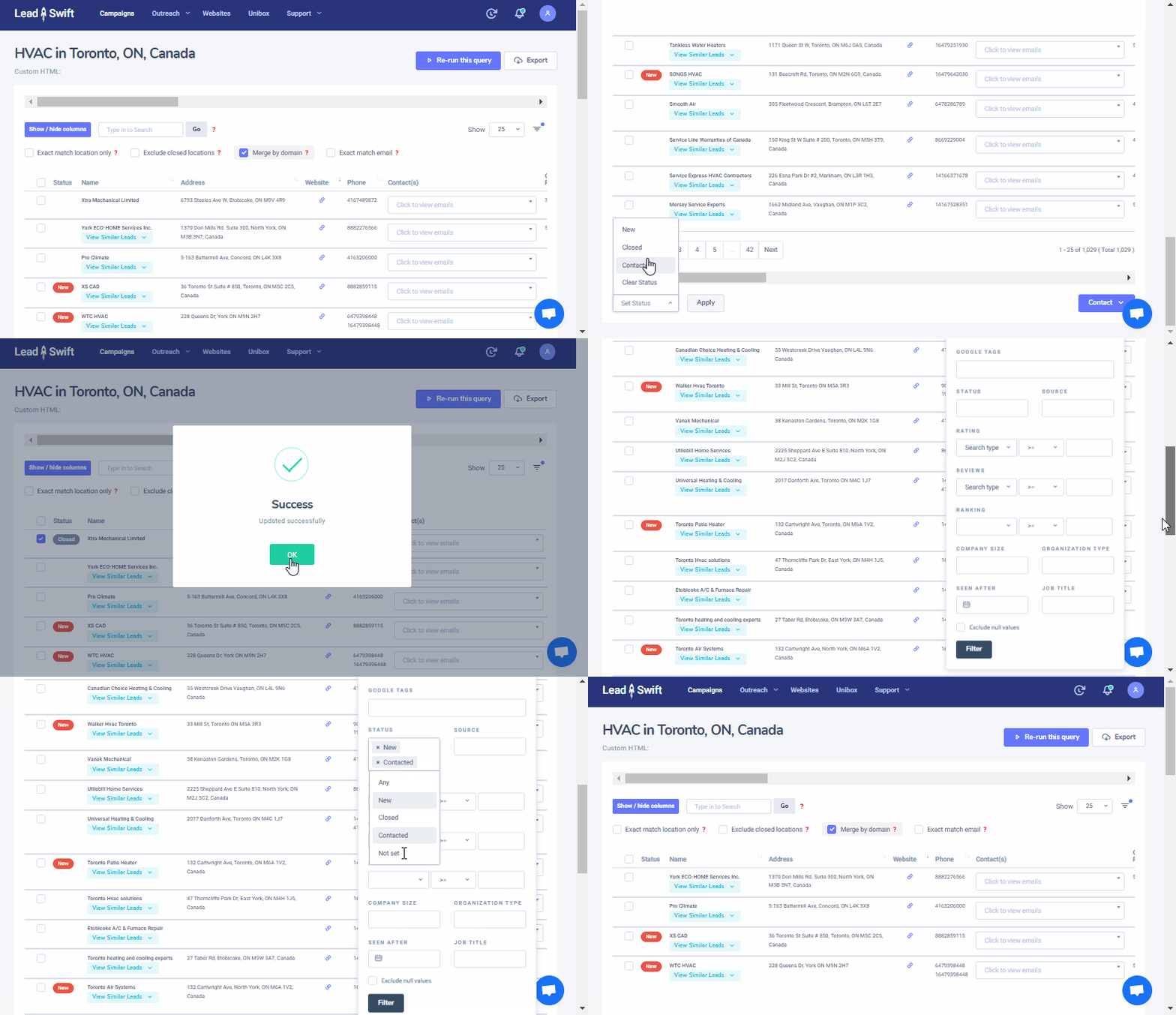
You can also remove duplicate businesses found across searches. Once you have finished processing a search, open the menu options next to it in the "Campaigns" tab. You can then select "Set Leads Status" for the entire search, i.e. "Contacted". In subsequent searches, set a filter to exclude everything except the leads with that status. This way, you can quickly exclude leads that were already found in previous searches.